The Ultimate Logitech Buying Guide for Work, Home & Gaming — from Technomart LLC
Why Choose Logitech for Your Workspace
Reliable Build, Long-Term Value
Logitech has become the go-to brand for keyboards, mice, webcams, and headsets because the gear simply works—day after day. From durable key switches to sensors that track on almost any surface, the focus is on dependable performance with minimal fuss. If you’re a small business or remote pro, that reliability turns into real productivity.
Seamless Wireless & Multi-Device Ecosystem
Between Bluetooth and dedicated receivers (like Logi Bolt), you can connect to laptops, desktops—even tablets—without cables. Many Logitech devices let you switch among multiple devices with a tap, so you can jump from your work laptop to a home PC or tablet instantly. It’s a tidy, modern setup that reduces clutter and keeps you moving.
Who This Guide Is For (SMBs, Remote Pros, Students, Gamers)
Whether you’re outfitting an office, building a hybrid workstation, or dialing in a gaming rig, this guide helps you choose the right Logitech gear—without overbuying. We’ll highlight the best fit for typing comfort, precise pointing, clear video calls, and immersive audio.
How to Pick the Right Logitech Gear
Match Your Workflow (Typing, Design, Calls, Gaming)
-
Heavy typing? Look for comfortable layouts and quiet keys.
-
Creative/design? Prioritize high-DPI mice with smooth scrolling and customizable buttons.
-
Call-heavy roles? Choose noise-canceling headsets and business-grade webcams.
-
Gaming? Low-latency, high-precision mice and mechanical keyboards are your friends.
Connection Types & Compatibility
Bluetooth vs Logi Bolt/USB Receiver
Bluetooth is great for quick pairing and portability. If you need enterprise-grade stability and lower latency (especially in busy RF environments), the Logi Bolt or other USB receivers provide a robust connection.
Multi-Device Switching & Flow
Many Logitech keyboards and mice support easy switching across up to three devices. With compatible software, you can even move your cursor between computers and drag files across—awesome for dual-machine workflows.
Battery, Charging & Portability
Some models use replaceable batteries that last months; others are rechargeable via USB-C. If you travel, aim for compact designs and fast-charging convenience.
Software Essentials: Logi Options+ & G HUB
-
Logi Options+: Customize productivity devices (buttons, gestures, app-specific shortcuts).
-
Logitech G HUB: Fine-tune gaming peripherals (DPI, lighting, macros).
Logitech Keyboards
Productivity Classics (Signature & MX Series)
Signature and MX keyboards deliver low-profile comfort, smart backlighting (on select models), and quiet, responsive keys. For multi-device pros, look for Easy-Switch keys and a dedicated number pad if you work in spreadsheets.
Ergonomics (Wave Keys, ERGO K860)
If you spend all day typing, ergonomic curvature and split layouts can reduce strain. Wave-style boards and the ERGO K860 promote a natural wrist angle without a steep learning curve.
Gaming (Logitech G Mechanical & Lightspeed)
Mechanical switches bring tactile feedback and speed. Lightspeed wireless keeps latency low, while per-key lighting and macros help you see and trigger commands in the heat of the moment.
Layout Choices: Full-Size vs TKL vs Compact
-
Full-Size: Best for data entry and finance with a numpad.
-
TKL (Tenkeyless): Better mouse room, great for small desks.
-
Compact: Travel-friendly and minimalist setups.
Logitech Mice
Precision & Productivity (MX Series)
MX mice are all about control—sensors that track on glass, electromagnetic scroll wheels that fly through pages, and programmable buttons. Ideal for coders, analysts, and creators who value precision.
Ergonomic Comfort (Lift, MX Vertical)
Vertical designs reduce forearm pronation. If you’ve felt wrist fatigue, these shapes can be game-changers for all-day use.
Gaming Favorites (G Pro, G502 families)
Logitech G mice balance low weight, responsive switches, and tournament-proven sensors. Lightspeed wireless models deliver wired-like responsiveness without the cable drag.
Webcams for Clearer Calls
Full HD Staples
1080p webcams with dual mics and autofocus make you look sharp and sound clean in meetings and classes.
4K & Low-Light Options
If you present frequently, choose higher-end models with 4K capture, HDR, or low-light optimization so you remain clear even in dim rooms.
Headsets & Audio
Business/UC Headsets (Zone Series)
Active noise cancelation, beamforming microphones, and comfortable ear cushions help you stay focused in open offices or busy homes. Certified compatibility with major calling platforms is a plus.
Speakers & Conference Audio
Compact stereo speakers upgrade laptop audio instantly. For huddle rooms, look for speakerphones with 360° voice pickup and echo cancelation.
Meeting & Collaboration Tools
Conference Cameras, Presentation Remotes
All-in-one conference cameras deliver wide-angle video, auto-framing, and clear audio—perfect for small meeting spaces. A simple presentation remote helps you control slides with confidence in boardrooms and classrooms.
Features & Benefits Snapshot (At-a-Glance)
-
Wireless connectivity with multi-device switching
-
High-precision sensors and smooth scrolling
-
Quiet, comfortable typing with ergonomic options
-
Crystal-clear video and voice for calls
-
Customizable controls via Logi Options+ / G HUB
-
Durable construction for long service life
Why Buy from Technomart LLC
-
Fast & Reliable Delivery: Orders are processed quickly—many ship the same day, and some customers even receive them the next day (location and carrier permitting).
-
Trusted Quality: Products are sourced from verified manufacturers and inspected before fulfillment.
-
Competitive Pricing: Value-driven pricing without cutting corners on quality.
-
Customer Support: Friendly, dedicated support before and after your purchase.
-
Secure Checkout: Encrypted payments to keep your data safe.
-
Transparency: Learn more about our story and standards on our About Us page.
Quick Bundles: Ready-Made Setups for Common Needs
-
Remote Work Essentials: Wireless keyboard + ergonomic mouse + 1080p webcam + business headset.
-
Creator’s Desk: Precision mouse + backlit low-profile keyboard + 4K webcam.
-
Gaming Start Pack: Lightspeed gaming mouse + mechanical keyboard + headset.
-
SMB Conference Kit: Conference webcam/speakerphone + presentation remote.
Setup & Support: Make the Most of Your Gear
After unboxing, install Logi Options+ (productivity) or G HUB (gaming) to customize buttons, scroll behavior, and lighting. Keep firmware updated for best performance. If you need help selecting or configuring, our support team is here to assist.
Internal Links (Explore & Learn More)
-
About Us: Discover our mission and standards — technomartllc.com/about-us/
-
Homepage: Shop all categories, deals, and new arrivals — technomartllc.com/
-
Logitech Brand Page: Browse our Logitech lineup — technomartllc.com/product-brand/logitech/
FAQs
Q1: Which Logitech keyboard is best for all-day typing?
A: Look for low-profile keys with good travel, a padded palm rest, and multi-device switching. If comfort is crucial, consider an ergonomic layout like a wave or split design.
Q2: Do I need a USB receiver or is Bluetooth enough?
A: Bluetooth is convenient for travel and modern laptops. If you want lower latency and a rock-solid connection in busy offices, choose devices with a dedicated receiver (e.g., Logi Bolt).
Q3: What mouse DPI should I choose?
A: For office work, 800–1,600 DPI feels natural. Designers and gamers might prefer higher DPI with adjustable steps for precision tasks.
Q4: Are Logitech webcams good for low light?
A: Many models include low-light optimization and autofocus. If you present often or stream, consider a model with HDR or 4K for better clarity and dynamic range.
Q5: Can I use the same Logitech keyboard and mouse with multiple computers?
A: Yes. Many devices support up to three paired devices and let you switch with a button. With compatible software, you can even move your cursor between machines and transfer files.
Ready to upgrade your setup? Explore our curated Logitech collection, enjoy fast processing and often next-day delivery, shop with secure checkout, and lean on friendly support whenever you need it. Start at our Homepage or learn about our standards on About Us.
-
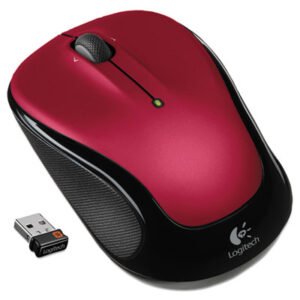
Logitech M325S Mouse (910006830)
- Micro-precise scrolling and tilt wheel to enhance speed and accuracy
- Compact, portable design for on-the-go use
- Contoured shape that fits the natural curve of your hand
- Wireless connection to easily use without pesky cords
$24.99$39.99Logitech M325S Mouse (910006830)
$24.99$39.99 -
Logitech M325 Wireless Mouse, 2.4 Ghz Frequency/30 Ft Wireless Range, Left/right Hand Use, Red (LOG910002651)
- Comfortable, contoured design with textured rubber grips.
- Micro-precise scrolling, plus tilting the wheel moves you backward or forward.
- Up to 18 months of battery life.
- Connects with ease using the tiny, leave-in Logitech? Unifying? receiver.
- Reliability of long-range, advanced 2.4 GHz wireless connectivity.
- Advanced optical tracking.
$25.49$29.99 -
Logitech M325 Wireless Mouse, 2.4 Ghz Frequency/30 Ft Wireless Range, Left/right Hand Use, Blue (LOG910002650)
- Comfortable, contoured design with textured rubber grips.
- Micro-precise scrolling, plus tilting the wheel moves you backward or forward.
- Up to 18 months of battery life.
- Connects with ease using the tiny, leave-in Logitech? Unifying? receiver.
- Reliability of long-range, advanced 2.4 GHz wireless connectivity.
- Advanced optical tracking.
$26.49$29.99 -
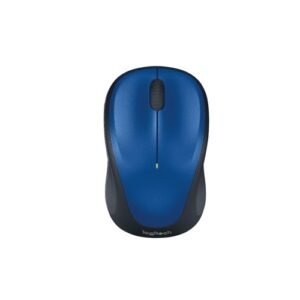
Logitech M317 Steel Blue M317 High-definition Tracking – Steel Blue (910002901)
- Easy Navigation, Precise Control: Logitech M317 wireless mouse features line-by-line scrolling and smooth optical tracking for accurate cursor control on most surfaces
- Long-lasting Battery Life: This cordless computer mouse can last for a whole year without having to change the batteries
- Comfortable, Compact Design: With soft rubber grips and contoured shape, this computer mouse feels comfortable in either your right or left hand
$24.99$35.99 -
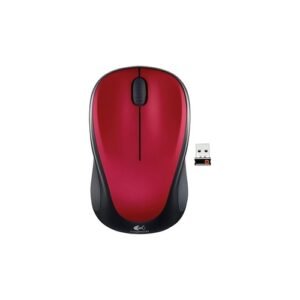
Logitech M317 Red M317 High-definition Tracking – Red (910002893)
- Easy Navigation, Precise Control: Logitech M317 wireless mouse features line-by-line scrolling and smooth optical tracking for accurate cursor control on most surfaces
- Long-lasting Battery Life: This cordless computer mouse can last for a whole year without having to change the batteries
- Comfortable, Compact Design: With soft rubber grips and contoured shape, this computer mouse feels comfortable in either your right or left hand
$24.99$39.99 -
$16.97
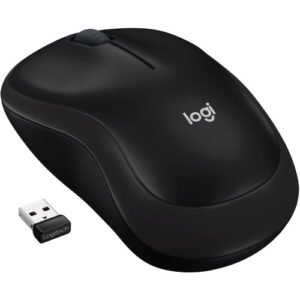
$20.45Logitech M187 Wireless ,black (910002726)
$16.97$20.45 -
Logitech M187 Ultra Portable – Bright Teal (910005363)
- You can take the Mini Mouse wherever you take your laptop thanks to its pocket-ready, extra-small design. Setup is simple.
- You just plug in the nano receiver and start using your mouse. Plus, it’s small enough to stay in your USB port and stores in the mouse if you do need to remove it. So there’s no need to worry about losing it. So you’ll enjoy the freedom of wireless with more precision and control than your laptop’s touchpad.
- You get a wireless connection with the reliability of a cord plus wireless convenience and freedom.
$18.99$30.55 -
Logitech M185 Wireless Mouse, 2.4 Ghz Frequency/30 Ft Wireless Range, Left/right Hand Use, Black (LOG910002225)
- Reliability of long-range, advanced 2.4 GHz wireless connectivity.
- Connects using the tiny leave-in USB nano receiver.
- One-year battery life.
- Advanced optical tracking sensor.
$19.99$24.99 -
Logitech M185 Wireless Mouse (910003888)
- Plug-and-play technology allows immediate use without any hassle
- Compact receiver means you can plug it in and forget about it
- 2.4 GHz connectivity offers fast data transmission with virtually no delays
- 1-year battery life eliminates need for frequent replacement
$24.99$36.91Logitech M185 Wireless Mouse (910003888)
$24.99$36.91 -
Logitech M170 Wireless Mouse, 2.4 GHz Frequency/33 ft Wireless Range, Left/Right Hand Use, Black (LOG910004940)
- It easily fits within your laptop bag, so you can get to work anywhere?whether you’re left- or right-handed.
- The compact shape and wireless capability lets you work comfortably at home, the office, or anywhere in between.
- The optical sensor gives you smooth and accurate cursor control on almost any surface.
$12.99 -
Logitech M100 Corded Optical Mouse, Usb 2.0, Left/right Hand Use, Black (LOG910001601)
- Left-handed or right, you’ll be comfortable hour-after-hour with this full-size ambidextrous design.
- You can’t go wrong with precise optical tracking. It’s a smooth mover-with or without a mouse pad.
- Comfortable, contoured design with textured rubber grips.
$12.49$12.99 -
Logitech Logi Adaptor Usb-c To A (956000028)
- The data transfer adapter gives error-free transmission with high-speed
- High-quality standard USB/USB-C adapter
$16.99$29.22Logitech Logi Adaptor Usb-c To A (956000028)
$16.99$29.22